Terminated: unknown
Niceties:
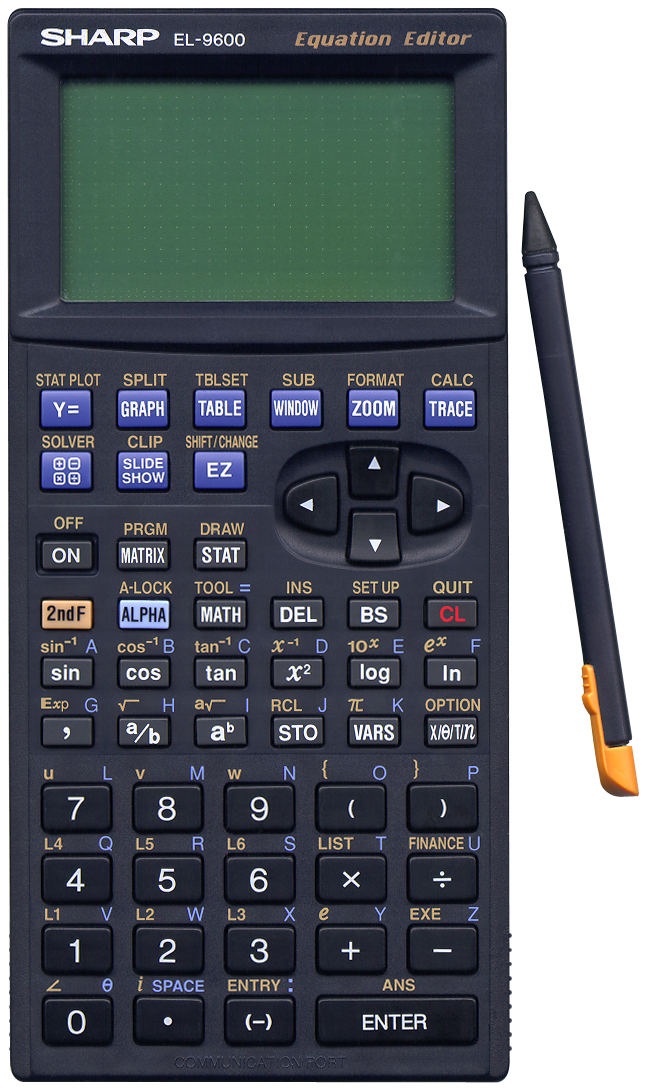
Let’s start with the nice things about this calculator.- The touch-sensitive screen is quite nice and works intuitive. When the touch-pen isn’t used one can store it in the calculator.
- The calculator’s built-in SOLVER program is really nice. One can solve all kinds of comparisons. When the calculator can’t solve by equation, it automatically switches to the Newton method. One can also use the graphics screen to solve equations. Simply draw two graphs and use the "Intsct" operator.
- The calculator has two complex-number modi, "x+yi" and "r, O" (for O read Phi).
- The built-in slide show function shows how particular functions work. This must be really nice in classrooms.
- The list-functions are nice. One can perform operations on six list variables in three list variable groups.
Not so niceties:
There are quite a number of things I don’t like about this calculator. I might be biased towards HEWLETT PACKARD and CASIO a little, but even so. Consider the following:- There’s a problem with most of the more modern calculators, there are too
many functions, and the user interface is too strict and gets in the way.
For instance, to calculate the cosine of the last result, one has to use three keys: cos 2ndF ENTER. It would be nice if typing cos ENTER would automatically insert the ANS command at the proper position. - One also has to type closing brackets, which is a bit of a bother.
- It’s unclear form the keyboard which functions are operators, and which ones show a screen menu.
- Another drawback in de design of the calculator is the choice for certain keys. The exponent operator needs two keystrokes, the ON/OFF key could have easily been combined with the CL key, and to re-perform the last calculation, instead of simply using the up-arrow, one has to use two keys: 2ndF (-) (to perform ENTRY).
- As far as I can see there is no way one can program a function. Programs are stand-alone entities. This is not the only modern (2001) calculator with this problem however.
- What I find really bad is the display. One really needs a lot of light to be able to clearly read the display. There is very little contrast and changing the contrast doesn’t help enough...
- The user interface is SLOW! This is really bad.
- The user interface doesn’t make use of the multi-line display! When the result of a calculation doesn’t fit on one line, it is truncated and one has to scroll through the result! This is really bad as well.
Conclusion:
Nice calculator, functionally more than complete, but the user interface needs some work. As it is now, the user interface gets in the way. Somewhere I once read that someone at HEWLETT PACKARD said, way back in the days of the HP 41C, something like (ad lib) "the user interface is the main problem for adding more functionality to calculators". The problem is, of course that that is true. So far I’ve only found modern (2001 and onward) calculator that makes excellent use of formulae entry combined with a nice interface, starting with the CASIO fx-82TL.
And I’m not alone, Ian Balthazar wrote me the following:
Hi Ernst,
Loved your feature on the el9600. If I had read it before I would have purchased the CASIO or Texas Instrument.
Now I am stuck with the SHARP. I will like to add that its programming steps are rather inferior particularly logic ie IF GOTO etc.
Anyway keep up the great work.
Regards,
Ian